Features
New search tool
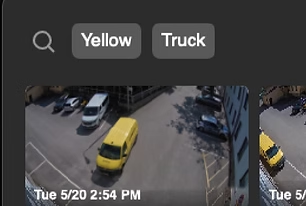
Attribute-Based Search
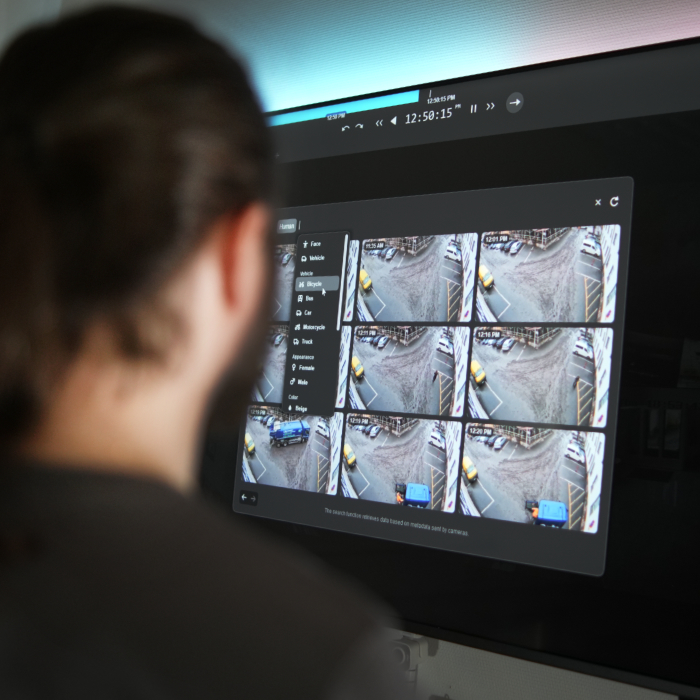
Leverage video metadata such as clothing, color, gender, age group and vehicle characteristics to perform precise and efficient object searches in recorded footage. Find relevant moments instantly using intelligent attribute-driven filters.
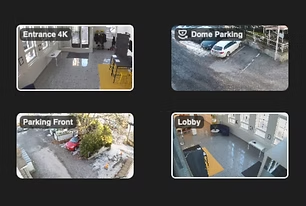
All or selected cameras
Search from specific cameras or the entire system. Simply hold down the Ctrl key and click the desired cameras to select exactly where you want to search. Quick, intuitive and efficient.

ONVIF Profile M
This feature utilizes ONVIF Profile M metadata received from cameras to enable attribute-based search functionality. To activate it, add the metadata component in the Obseron settings. No additional license is required beyond the standard camera license. Needs a camera that supports ONVIF Profile M.
New in Obseron 3
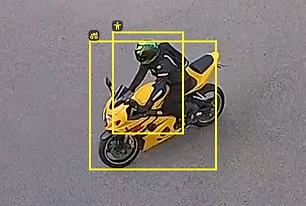
Enhanced search results
The feature-based search is now more powerful than ever. Browsing search results is smoother, detected objects are highlighted with clear bounding boxes, and overall performance has been optimized for faster results.

Improved security
Obseron now supports two-factor authentication (2FA), providing an additional layer of protection for user accounts. Even if a password is compromised, logging in still requires a separate verification code. The system also includes configurable minimum password requirements, and users can change their own passwords. In addition, several security-enhancing features are now enabled by default.

AI and LPR features now included as standard
Obseron AI and license plate recognition (LPR) features are now included in all camera licenses at no additional cost. Activate advanced analytics immediately and benefit from more powerful search and recognition capabilities without extra licensing fees.
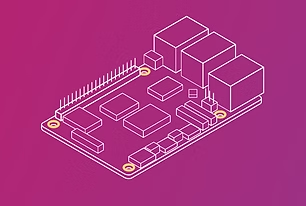
Raspberry Pi version
Obseron now runs on Raspberry Pi, providing a surprisingly capable option for video management and monitoring on compact, energy-efficient hardware.
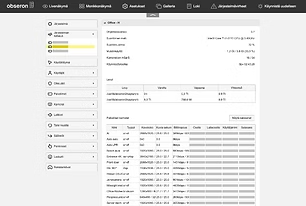
System overview in web UI
Gain a centralized, real-time overview of system health and performance across all servers, now accessible through the web interface.
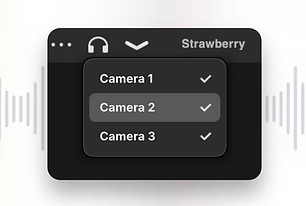
Audio menu
Monitor multiple audio sources across tabs with easy on/off control and clear timeline visualization.
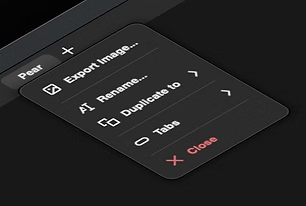
Fresh coat of paint
The entire user interface has been simplified and refined to offer a more intuitive, faster and user-friendly experience.
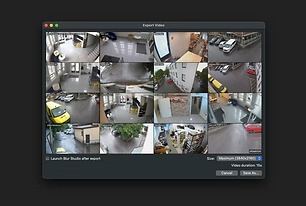
New video exporting
The new video export tool includes a built-in preview and follows the streamlined workflow introduced in the updated image export.
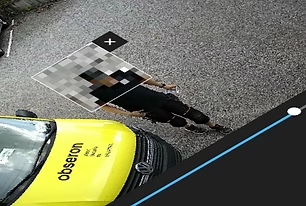
Updated Blur Studio
Blur Studio has been upgraded to make it easier than ever to blur selected areas in exported video. You can manually mask sensitive content or let the Obseron AI automatically detect and blur faces.

New image exporting
Export images with instant blur and unblur by dragging—perfect for privacy when sharing evidence. Easily adjust the resolution, with each image featuring a watermark and optional timecode.
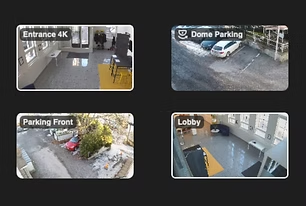
Multi-Peek
Preview multiple camera images with ease by holding down the Ctrl button—an ideal feature for control rooms. Pick from your current view or seamlessly navigate through multiple tabs. Export images or videos featuring only the selected camera images.

REST API
This feature opens up a world of possibilities for security automation and seamless integration with other systems. You can now integrate with access control systems, alarm systems, or even analytics software to create a comprehensive security ecosystem. See REST API Documentation to get started.
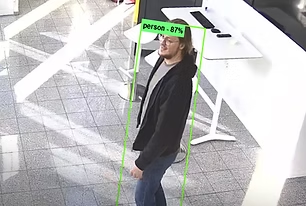
Obseron AI
An excellent way to add smart features to any video stream. High efficiency keeps your recorder running even with multiple AI instances in use. Obseron AI now detects people and vehicles. Detection of other objects and object tracking coming later. Included in camera license. Windows only.
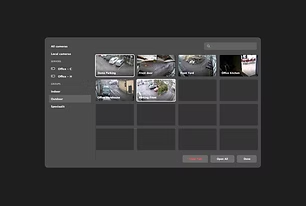
New camera menu
The renewed camera menu allows you to select cameras even faster than before. You can filter cameras by server or group. The new search bar provides you with as-you-type results, and paginated thumbnail images are instantly scrollable.
LDAP support
With support for LDAP, you can use Active Directory (AD) users and groups in Obseron. Windows only. See Using Obseron 3 with LDAP to get started.
Widgets
Everything You Need.
Right Where You Need It.
Build a workspace that works for you. With Obseron’s flexible and customizable widgets, you can monitor events, control devices, automate actions and access the information you need in a one intuitive interface.
Maps
Create interactive maps using custom background images and place cameras where they belong. Organize maps into a hierarchy with automatic breadcrumb navigation, and add shortcuts for quick access to other locations. Simply click a camera icon to expand its live view, then click again to return to the map. Navigate effortlessly from entire sites down to individual cameras.
Buttons
Create a fully customizable control panel with buttons that trigger virtually any action through Obseron’s powerful rule engine. Control PTZ cameras, activate presets, open doors and gates, or interact with external devices and systems. Place the responsive widget anywhere in your workspace, arrange buttons with drag and drop, and personalize each one with custom labels, icons and colors for quick, intuitive control.
Camera Changer
Bring traditional spot monitor functionality into a modern control room. Instantly switch camera views using a numeric keypad, control PTZ cameras with a mouse or joystick, and display alarms and notifications in designated windows. PTZ controls automatically follow the selected camera for fast, seamless operation.
Notifications
Create fully customizable, rule-triggered notifications with personalized messages, colors and camera snapshots captured at the moment of an event. Instantly jump to the exact moment in recorded video by clicking the notification, making event verification fast and effortless.
Counter
Track virtually anything with flexible, rule-based counters. Automatically increase, decrease or reset values based on custom rules, and trigger alerts when defined thresholds are exceeded or values drop below them. Counter values are stored alongside video recordings, allowing you to review historical values simply by navigating the timeline.
Point of Sale
Connect point-of-sale transactions with video to see exactly what happened at the checkout. View receipt lines as they arrive in real time, with each entry linked to its exact moment in the video timeline. Search transaction history to quickly find specific events, and set up automatic alerts for selected keywords or receipt entries.
Try Obseron 3
Free for 30 Days
Download Obseron 3, connect as many cameras as you need, and test the software in your own environment. No commitments.